What is Steve AdventureCraft Nether?
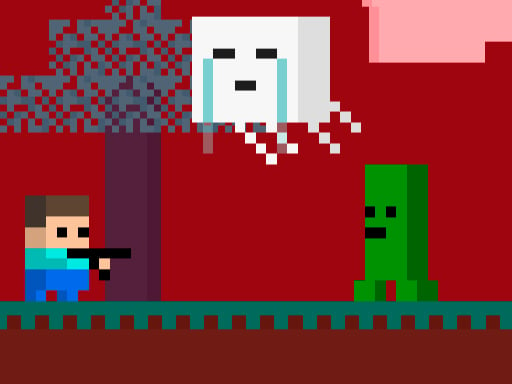
Dive into a world where adventure meets creativity in "Steve AdventureCraft Nether." This thrilling game takes you to the mysterious and perilous Nether section of the beloved AdventureCraft universe. With 10 thrilling levels, flying creatures, wailing zombies, and a myriad of monsters lurking around every corner, your journey is sure to be filled with heart-stopping action and unforgettable moments.
How to Play
For PC/Mac Users:
- WASD Controls: Use the WASD keys to move your character left, right, forward, and backward. Navigate through the levels with precision and agility.
- Interact with Objects: Press the "E" key to interact with items, pick up resources, and use your tools.
For Mobile Players:
- Touch Control: Swipe left, right, up, or down on the screen to move your character. Tapping on objects or enemies will allow you to interact with them or attack.
Collect Your Friends
In Steve AdventureCraft Nether, collecting animals is your chance to make friends. These friendly creatures can help you in battles against the monsters that populate the Nether. As you progress, you can train these animals to fight by equipping them with special items. Your allies will be your greatest asset in your quest to conquer the Nether.
Hunt Your Enemies
But be warned! The Nether is home to many enemies that are more than willing to stop you from achieving victory. Your skills as a hunter will be put to the test as you track and slay these monsters. Hunt them with stealth or brute force, but remember that each monster can be a formidable opponent. Your combat strategies will determine whether you live or die in this unforgiving world.
Complete the Levels and Achieve Victory
With each level, you'll face new challenges and puzzles that will test your ingenuity and courage. As you progress, the difficulty increases, and so does the danger. But the rewards are worth it—each completed level brings you closer to ultimate victory. Conquer the Nether, and you'll unlock new abilities, items, and the satisfaction of having braved the depths of this dangerous realm.
So, gear up your gaming skills and prepare for an unforgettable adventure in Steve AdventureCraft Nether. Will you rise to the challenge or fall to the monsters that lurk in the darkness? The choice is yours, brave adventurer!
Steve AdventureCraft Nether is an exciting and high-quality free online arcade game available exclusively on CrazyGames-Poki. This premium HTML5 browser game delivers instant entertainment without any downloads, installations, or registrations required.
Why Play on CrazyGames-Poki?
- ✅ 100% Free - No registration or download required
- ⚡ Instant Play - Loads in seconds in your browser
- 📱 Cross-Platform - Works on PC, Mac, iOS, Android
- 🔒 Safe & Secure - Tested for quality and safety